A desk lamp for your screen
Six lights that blend with the paper. A warm reading lamp for evenings, silver moonlight for late nights.
Washi lays a fine sheet of paper over your whole Mac. Softer glare, calmer contrast, the same sharp text.
Free for an hour every day. macOS 14 or later.
Paper never shines at you. Light lands on its fibres and scatters, so the brightest white on a page is only a soft grey compared with a backlit screen.
Screens do the opposite. Every pixel is a tiny lamp, and white text sits next to pure black at a contrast no printed page comes close to. After a long day your eyes feel it.
Washi adds what screens leave out: a surface. Drag the sheet up and down to see the difference on these paragraphs.
Under the paper, whites settle into a soft grey and the hardest edges lose their glare. The letters stay exactly as sharp as before.
Nothing about your colours changes. Photos, charts and brand colours look the way they should, only calmer.
From silky gampi to heavy cold press. Choose one for daytime and another for when your Mac turns dark.
Night Shift and f.lux warm your screen. Washi leaves your colours alone and softens what tires your eyes: hard white, glossy highlights, maximum contrast. Use it with a colour filter or without one.
The page turns orange. Whites are still bright, contrast is still sharp, and every photo looks wrong.
The page keeps its colours. The white softens into paper and the edges stop glaring.
Six lights that blend with the paper. A warm reading lamp for evenings, silver moonlight for late nights.

Dim everything but your window, or keep a clear band on the line you are reading.
Every twenty minutes, a blank sheet and one slow breath. Skip it with any key.


Paper Studio gives you the dials: grain, tooth, fibres, warmth. Save it, share it as a file.
When your Mac sits idle, Washi frames a painting instead of a dark screen. Woodblock prints, Dutch masters, botanical plates, all public domain from The Met.
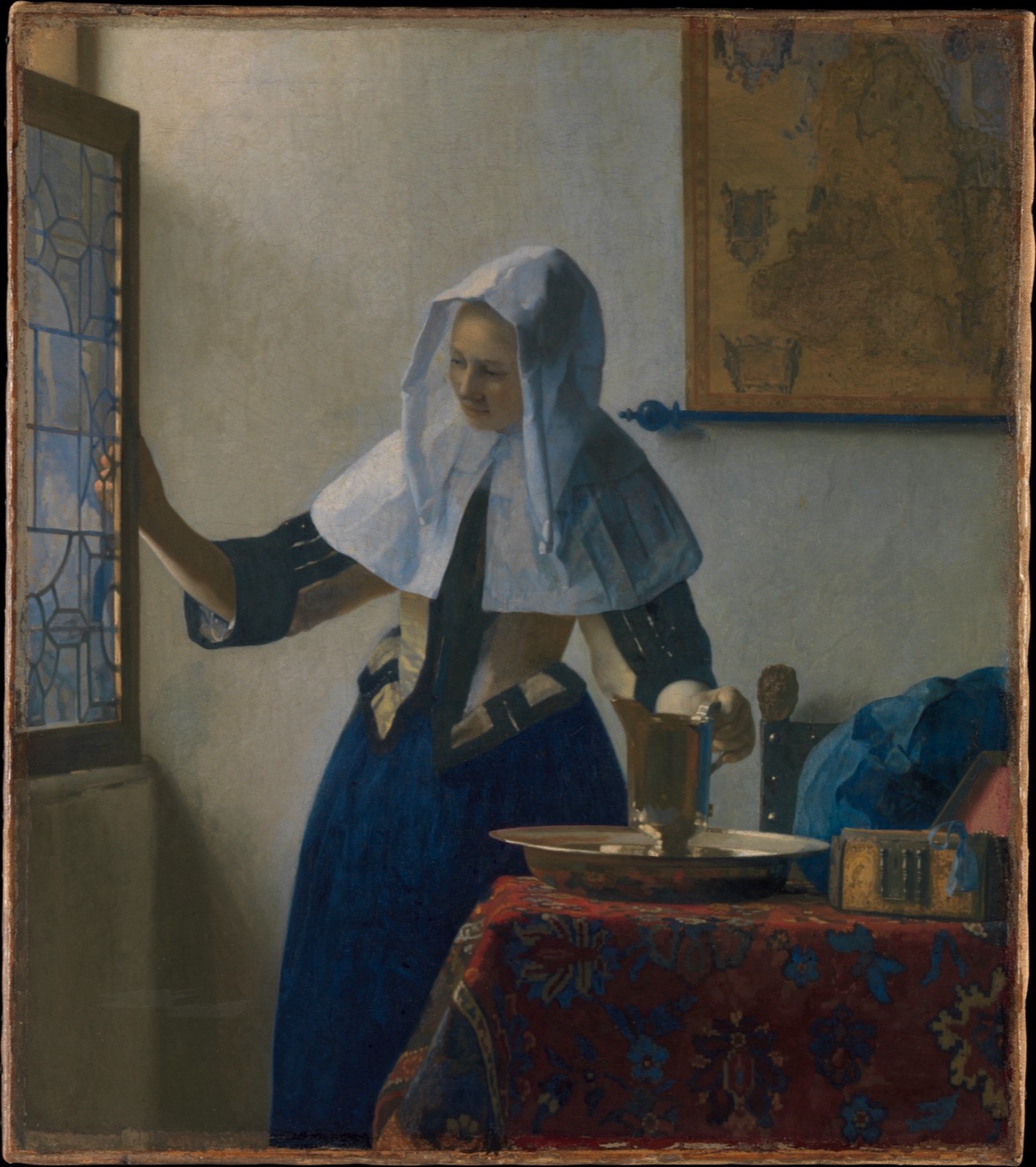
Young Woman with a Water PitcherJOHANNES VERMEER, CA. 1662
Every paper, lamp and tool, plus every update. Try it free for an hour every day before you decide.
Your key works on 3 Macs. Mac App Store version coming soon.
No. Washi adds texture, not a tint, so photos and brand colours stay true. It softens the brightest whites and lifts the deepest blacks a touch, which is where the comfort comes from.
No. The paper is drawn once and then sits still, so it uses almost no processor time. Memory use is small, even across several displays.
Never. Clicks and keystrokes pass straight through the paper, and it never takes focus from the app you are using.
The paper lifts off until the next day. Everything else keeps working. Buy once and the paper stays as long as you like.
Any Mac with macOS 14 Sonoma or later, Apple silicon or Intel, with any number of displays.
Email askmaddyy@gmail.com with what happened and your macOS version. A person reads every message.